Datos Tabulares:
La Manera Pythónica
Turicas aka Álvaro Justen
Meetup de Python Montevideo
17 de agosto de 2016 - Montevideo, Uruguay
bit.ly/rows-mvd
Turicas, un gusto! =)
¡Síganme los buenos!
{twitter,
github,
youtube,
slideshare,
instagram}
/turicas
alvaro@CursoDeArduino.com.br
turicas.info
Nómada Digital


cursodearduino.com.br

pythonic.cafe

generonumero.media

escoladedados.org

Software Libre
Desde 2003-2004

Python
Desde 2005

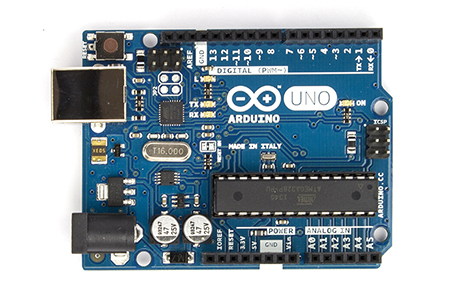
Arduino
Desde 2009
Organización de Conferencia

Organización de Conferencia

pythonquito.tk
CSV - Codigo
import csv


filename = 'examples/data/tesouro-direto.csv'
reader = csv.DictReader(open(filename))
for row in reader:
    print(row)
CSV - Resultado
{
  'preco_compra': '7261.57',
  'preco_venda': '7246.25',
  'taxa_compra': '0%',
  'taxa_venda': '0.04%',
  'timestamp': '2015-11-06T17:43:00',
  'titulo': 'Tesouro Selic 2021 (LFT)',
  'vencimento': '2021-03-01'
}
CSV - Cómo deberia ser
{
  'preco_compra': 7261.57,
  'preco_venda': 7246.25,
  'taxa_compra': 0.0,
  'taxa_venda': 0.0004,
  'timestamp': datetime.datetime(2015, 11, 6, 17, 43),
  'titulo': 'Tesouro Selic 2021 (LFT)',
  'vencimento': datetime.date(2021, 3, 1)
}
CSV - Conversiones
def convert_row(row):
    row['preco_compra'] = _convert_float(row['preco_compra'])
    row['preco_venda'] = _convert_float(row['preco_venda'])
    row['taxa_compra'] = _convert_percent(row['taxa_compra'])
    row['taxa_venda'] = _convert_percent(row['taxa_venda'])
    row['vencimento'] = _convert_date(row['vencimento'])
    row['timestamp'] = _convert_datetime(row['timestamp'])

for row in reader:
    convert_row(row)
    print(row)
    # TODO: crear _convert_float
    # TODO: crear _convert_percent
    # TODO: crear _convert_date
    # TODO: crear _convert_datetime
02_csv.py)
Conversiones

XLS - Codigo
import xlrd

def _convert_row(row):
    return [cell.value for cell in row]

def my_xls_reader(filename):
    workbook = xlrd.open_workbook(filename)
    sheet = workbook.sheet_by_index(0)
    header = _convert_row(sheet.row(0))
    for row_number in range(1, sheet.nrows):
        data = _convert_row(sheet.row(row_number))
        yield dict(zip(header, data))

filename = 'examples/data/tesouro-direto.xls'
for row in my_xls_reader(filename):
    print(row)
XLS - Resultado
{
  u'preco_compra': 7261.57,  # bueno!
  u'preco_venda': 7246.25,  # bueno!
  u'taxa_compra': 0.0,  # bueno!
  u'taxa_venda': 0.0004,  # bueno!
  u'timestamp': 42314.73819444444,  # ???
  u'titulo': u'Tesouro Selic 2021 (LFT)',  # bueno!
  u'vencimento': 44256.0  # ???
}
WTF?
  u'timestamp': 42314.73819444444,
  u'vencimento': 44256.0
XLS - Conversiones
def _convert_date(data, sheet):
    time_tuple = xlrd.xldate_as_tuple(data, sheet.book.datemode)
    date = datetime.datetime(*time_tuple)
    return datetime.date(date.year, date.month, date.day)

def _convert_datetime(data, sheet):
    time_tuple = xlrd.xldate_as_tuple(data, sheet.book.datemode)
    return datetime.datetime(*time_tuple)

def my_xls_reader(filename):
    (...)
        data = _convert_row(sheet.row(row_number))
        row = dict(zip(header, data))
        row['vencimento'] = _convert_date(row['vencimento'], sheet)
        row['timestamp'] = _convert_datetime(row['timestamp'], sheet)
yield row04_xls.py)
HTML - Codigo
from lxml.html import document_fromstring

def _convert_row(row):
    values = row.xpath('.//th/text()') + \
             row.xpath('.//td/text()')
    return [text.strip() for text in values]

def my_html_reader(filename):
    with open(filename) as fobj:
        tree = document_fromstring(fobj.read())
    tables = tree.xpath('//table')
    table = tables[0]
    rows = table.xpath('.//tr')
    header = _convert_row(rows[0])
    for row in rows[1:]:
        yield dict(zip(header, _convert_row(row)))

filename = 'examples/data/tesouro-direto.html'
for row in my_html_reader(filename):
    print(row)
XPath

HTML - Resultado
{
  'preco_compra': '7261.57',  # TODO: convertir
  'preco_venda': '7246.25',  # TODO: convertir
  'taxa_compra': '0.00%',  # TODO: convertir
  'taxa_venda': '0.04%',  # TODO: convertir
  'timestamp': '2015-11-06T17:43:00',  # TODO: convertir
  'titulo': 'Tesouro Selic 2021 (LFT)',
  'vencimento': '2021-03-01'  # TODO: convertir
}
rows to the rescue!
pip install rows # Python Package Index
apt-get install rows # Debian
dnf install rows # Fedora
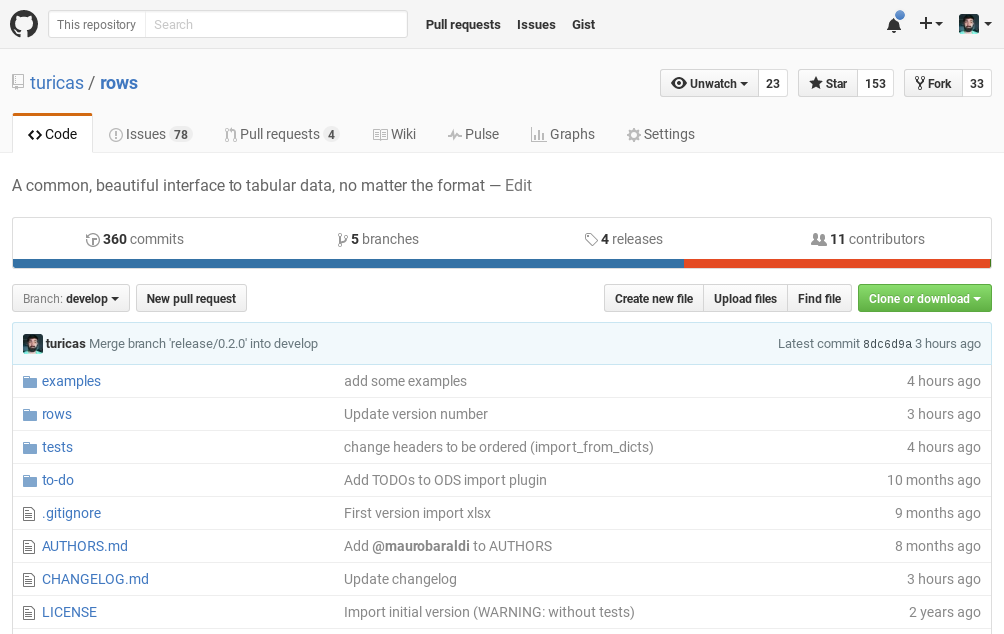
github.com/turicas/rows

CSV con rows - Codigo
import rows

filename = 'examples/data/tesouro-direto.csv'
table1 = rows.import_from_csv(filename)

for row in table1:
    print(row)
CSV con rows - Resultado
Row(timestamp=datetime.datetime(2015, 11, 6, 17, 43),
    titulo=u'Tesouro IPCA+ com Juros Semestrais 2017 (NTNB)',
    vencimento=datetime.date(2017, 5, 15),
    taxa_compra=Decimal('0.0702'),
    taxa_venda=Decimal('0.063'),
    preco_compra=0.0,
    preco_venda=2792.97)

# namedtuple #FTW \o/
XLS con rows - Codigo
import rows

filename = 'examples/data/tesouro-direto.xls'
table2 = rows.import_from_xls(filename)

for row in table2:
    print(row)
XLS con rows - Resultado
Row(timestamp=datetime.datetime(2015, 11, 6, 17, 43),
    titulo=u'Tesouro IPCA+ com Juros Semestrais 2017 (NTNB)',
    vencimento=datetime.date(2017, 5, 15),
    taxa_compra=Decimal('0.0702'),
    taxa_venda=Decimal('0.063'),
    preco_compra=0.0,
    preco_venda=2792.97)

# namedtuple #FTW \o/
HTML con rows - Codigo
import rows

filename = 'examples/data/tesouro-direto.html'
table3 = rows.import_from_html(filename)

for row in table3:
    print(row)
HTML con rows - Resultado
Row(timestamp=datetime.datetime(2015, 11, 6, 17, 43),
    titulo=u'Tesouro IPCA+ com Juros Semestrais 2017 (NTNB)',
    vencimento=datetime.date(2017, 5, 15),
    taxa_compra=Decimal('0.0702'),
    taxa_venda=Decimal('0.063'),
    preco_compra=0.0,
    preco_venda=2792.97)

# namedtuple #FTW \o/
github.com/turicas/rows

pythonbrasil.org.br
13 a 18 de outubro
Florianópolis/SC